

Share pet records with your vet
In PetGenie you can send records as a stamped PDF by email, or share a secure link. The link shows when it has been viewed. That helps when you switch clinics, board your pet or travel. It is worth calling the clinic to confirm how they prefer to receive records.
Get startedOne PDF, not a stack of photos
Pick the records you want to send and PetGenie combines them into one stamped PDF. The person receiving it does not need the app or an account.
Know whether it was opened
Each shared link shows whether it has been viewed and when, so you are not left wondering before an appointment.
Bring a Vet Packet to the appointment
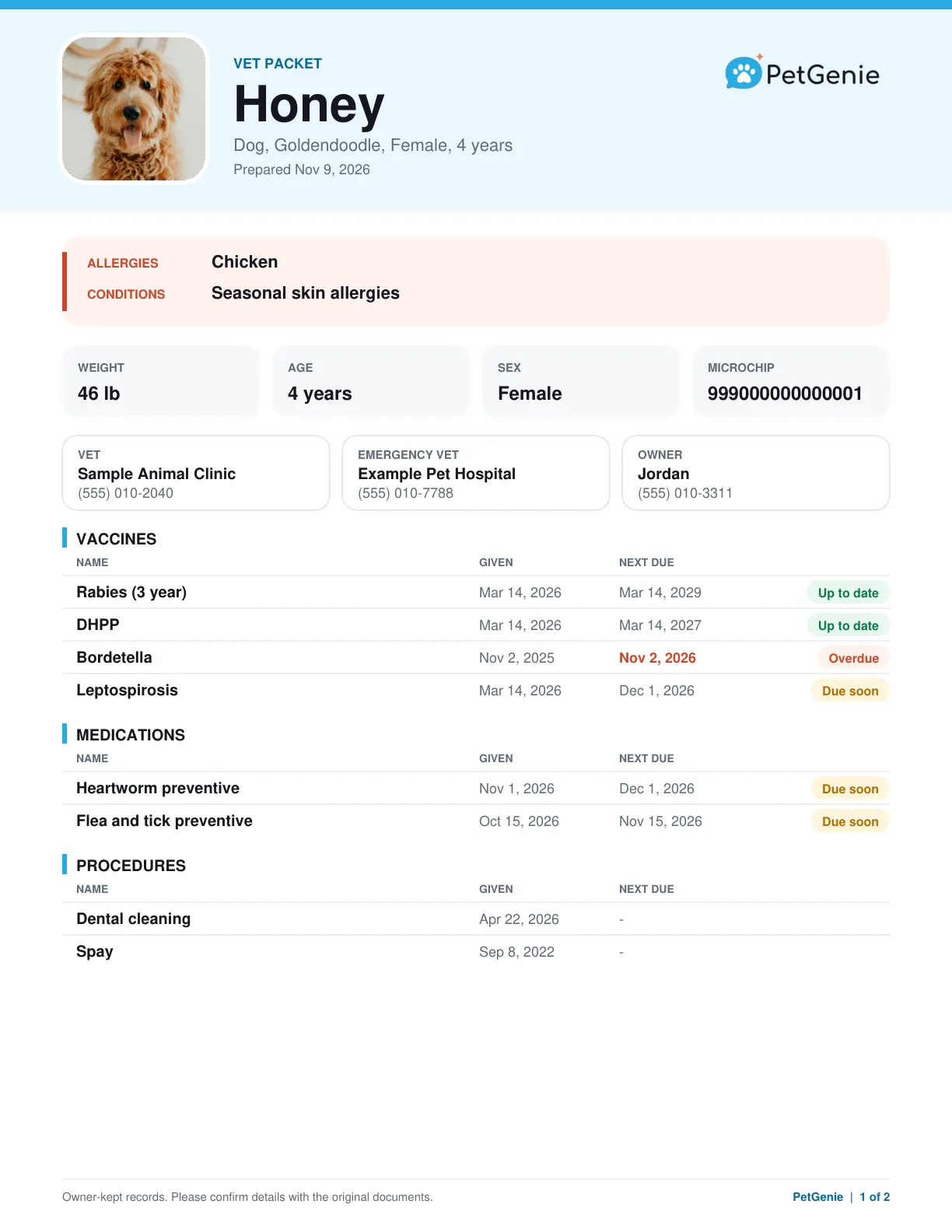
A Vet Packet is a one-page summary built from the records you have saved. Print it or send it to a new vet, sitter or boarding facility. Your vet's own file remains the official record.
How to send records to a clinic
- 1
Choose the records
Open your pet's records and pick what you want to share.
- 2
Send or copy a link
Email the stamped PDF, or create a secure link to send however you like.
- 3
Check for a viewed receipt
Come back to see whether the link has been opened.
See a real Vet Packet
This is the PDF PetGenie makes, shown for a made-up dog named Honey: allergies, weight, microchip, vets, vaccines and medications marked up to date, due soon or overdue, a weight chart, symptom notes and the owner's questions.
Open the sample PDF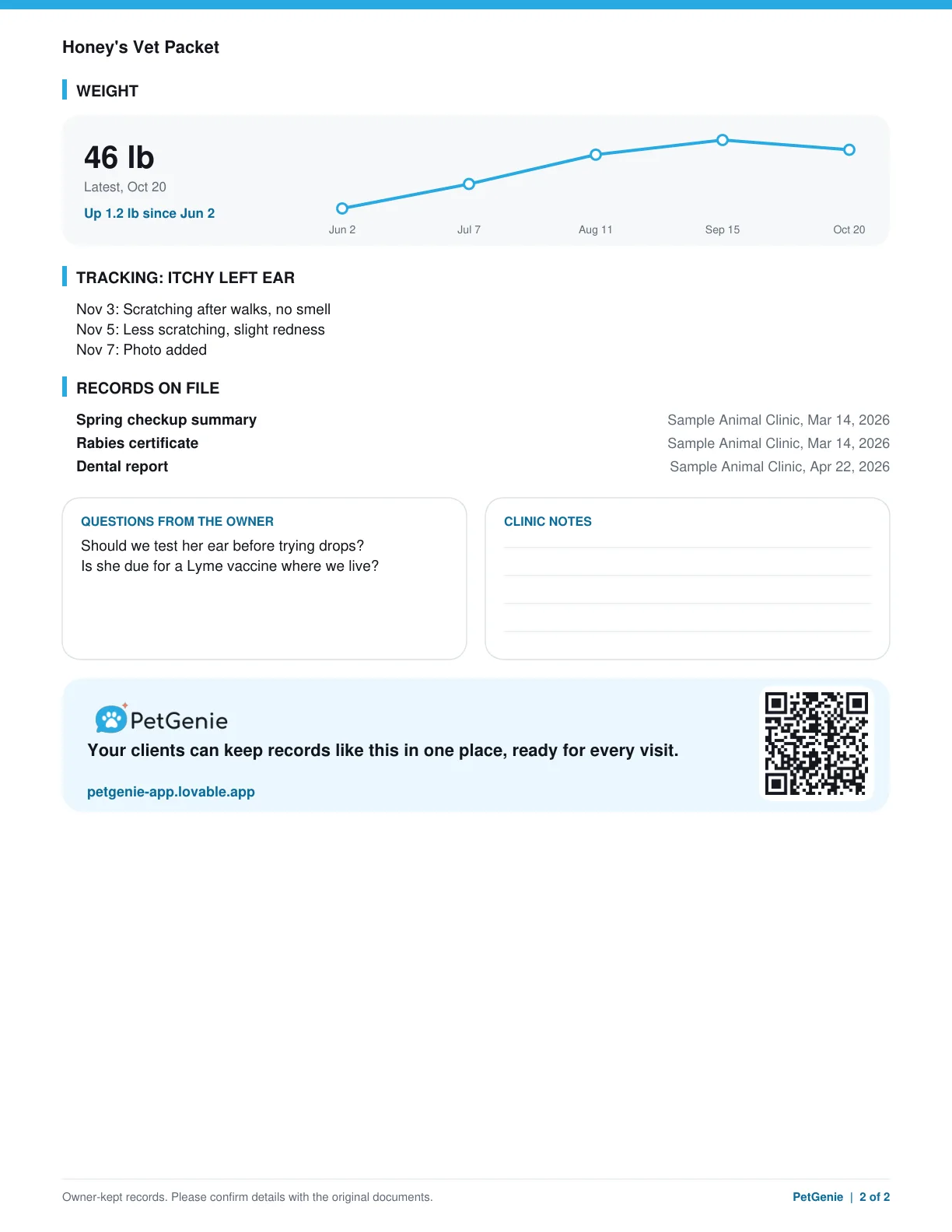
Common questions
Does my vet need PetGenie to open what I send?
No. They open the link or the PDF like any other document, with no sign in.
Can I stop a link from working?
Yes. You can turn off links you have shared from the app.
Will the clinic add my records to their system?
That depends on the clinic. Call ahead to confirm how they prefer to receive records and whether they received yours.